
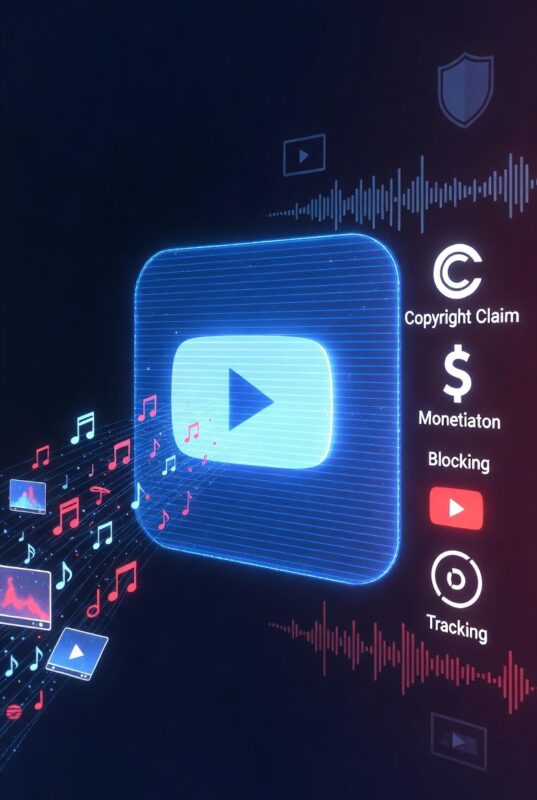
Understanding the technical process makes it easier to understand both the value of Content ID and the specific ways it can go wrong.
Step 1: Fingerprinting
When your music is registered in YouTube’s Content ID database — either directly by a qualifying rights holder or through a distributor or MCN acting on your behalf — YouTube generates a digital audio fingerprint of the track. This fingerprint is not simply a copy of the audio file. It is a mathematical representation of the track’s acoustic characteristics — frequency patterns, rhythmic signatures, tonal qualities — that can identify the track even when used at low volume, with background noise, at different speeds, or as a short clip within a longer piece of audio.
Step 2: Automated scanning
Every video uploaded to YouTube is automatically scanned against the entire Content ID database. This happens at upload and retroactively for existing videos when new content is added to the database. The scanning covers all audio in the video — background music, incidental sound, any recorded material — not only the primary soundtrack.
Step 3: Match and policy application
When a match is detected, YouTube’s system applies the policy you (or your distributor) has set for that content. If your policy is to Monetise, ads are automatically enabled on the matched video. The claim is applied without any action required from you and without any notice to the video uploader until the claim takes effect.
Step 4: Revenue collection and reporting
Ad revenue generated by claimed videos flows to your Content ID account — managed either directly by you or by your distributor — and is reported in your royalty dashboard. Reporting cycles vary by distributor but typically appear in monthly statements, often with a 60–90 day delay from the date of viewing activity.
How much does YouTube Content ID actually pay?
YouTube Content ID does not pay a fixed rate per use — it pays a share of the advertising revenue generated by the videos that contain your music. The amount varies significantly based on:
- The CPM (cost per thousand impressions) of the advertising on the video — videos targeting high-value advertising audiences (finance, technology, business) generate more ad revenue per view than videos targeting lower-value audiences
- The geography of the video’s viewership — views from the US, UK, Canada, Australia, and Western Europe generate significantly higher CPM rates than views from South Asia, Southeast Asia, or Sub-Saharan Africa
- The proportion of the video occupied by your music — a video where your music plays throughout generates more attributed Content ID revenue than a video where it plays for 30 seconds
- Whether the video is monetised by the uploader — if a channel is not enrolled in YouTube’s Partner Programme, ads may not run on their videos at all, reducing or eliminating Content ID revenue from those uses
- The volume of videos using your music — Content ID revenue is cumulative. A single popular use can generate more than a hundred smaller uses.
As a broad benchmark: many electronic music producers report that their Content ID revenue from YouTube uses exceeds their direct Spotify streaming revenue — particularly producers creating lo-fi beats, ambient music, and study music that becomes popular in long-form compilation videos. A lo-fi track used in a popular study playlist video with 10 million views can generate significantly more Content ID revenue than the same track’s Spotify streams in the same period.
For most artists, Content ID revenue is a supplementary income stream rather than a primary one. But for specific genres and use cases — instrumental music, lo-fi, ambient, electronic, and any music that gains traction in YouTube’s UGC ecosystem — it can be substantial.
When is YouTube Content ID worth having?
Content ID is worth having for almost every artist who has fully original music distributed through a distributor that includes it at no additional cost or revenue share. If you are on Horus Music, Ditto Pro, or TuneCore, enabling Content ID costs you nothing and creates an ongoing monitoring and monetisation layer for every YouTube use of your music. The question of “is it worth it” barely arises.
The calculation becomes more complex when Content ID involves a revenue share or add-on fee. DistroKid’s $4.95/year plus 20% model requires a specific evaluation: is the Content ID revenue you expect to earn significant enough to justify the fee and the permanent 20% commission?
Content ID is particularly valuable for:
- Instrumental music producers — lo-fi, ambient, study music, background beats. These genres are widely used in YouTube videos and generate consistent Content ID claims without any promotional effort from the artist.
- Artists whose music has gone viral or has significant UGC traction — if your music is already appearing in fan videos, memes, or trend-driven content, unregistered Content ID means you are missing revenue that YouTube has already identified.
- Artists in genres with strong YouTube community — gaming music, workout music, meditation and relaxation music, and music used by tutorial and educational YouTubers all generate high volumes of incidental YouTube use.
- Artists with growing catalogues — Content ID value compounds as your catalogue grows. A track released five years ago may be generating more Content ID revenue today than when it was first released, as more videos have accumulated uses over time.
Content ID may be less valuable for:
- Artists releasing exclusively in genres with very limited YouTube UGC usage — highly niche or experimental music that is unlikely to appear in other people’s videos
- Artists on DistroKid who release very infrequently and generate minimal streaming income — the annual per-release fee and 20% commission may exceed expected Content ID earnings
What can go wrong with YouTube Content ID?
Content ID is a powerful tool that creates real problems when it is set up incorrectly or when conflicting claims arise. Understanding the common failure modes before registering is essential.
Registering music that contains non-exclusive samples
This is the most common and most serious Content ID mistake that independent artists make. As documented in detail by Beats by Diefor, if your music contains a beat licensed on a non-exclusive basis — meaning the same beat has been sold to multiple artists — you cannot register that music in Content ID. Non-exclusive beats are used by multiple artists simultaneously. If you register a track containing a non-exclusive beat, your Content ID claim will conflict with claims from other artists using the same beat, and with the producer’s own claim. The result is claim disputes, revenue sharing that does not go to you, and potential removal of your Content ID access. Only music where you hold exclusive rights to all elements — original composition, exclusive beat, fully cleared samples — is eligible for Content ID without conflict.
Registering through multiple distributors simultaneously
If you register the same music for Content ID through more than one distributor — either by accident during a migration or by using overlapping services — conflicting claims are generated automatically. Both distributors’ systems attempt to claim the same videos, producing disputes that reduce monetisation efficiency and may result in both claims being reviewed and potentially cancelled. Always ensure Content ID is active through only one distributor at a time, and manage Content ID transfer carefully when switching distributors.
False claims on similar-sounding content
Content ID’s fingerprinting system can generate false positive claims when two pieces of music share similar characteristics — common chord progressions, shared rhythmic patterns, or instruments with distinctive tonal profiles. Artists who use widely-available sample packs, royalty-free loops, or similar stylistic elements to other registered tracks may find Content ID claiming videos that contain music they did not create. These claims can be disputed, but the process requires documentation and takes time, and disputed claims create friction with the YouTube creators whose videos are affected.
Claiming fan content that should be left alone
Some artists configure Content ID to block or restrict uses rather than monetise them. This is almost always counterproductive for independent artists. A fan’s enthusiastic cover video, a dance video using your track, a reaction video — these are organic promotional content that introduces your music to new audiences. Blocking or restricting them removes promotional reach in exchange for control. Monetising them earns revenue while keeping the content live. The Safelist feature in Content ID allows you to designate specific channels — fan channels, collaborators, reaction channels you have working relationships with — that are exempt from claims, giving you granular control without unnecessary restriction.
AI-generated music exclusions
As covered in the AI music distributor rankings, several distributors explicitly exclude AI-generated music from Content ID eligibility. LANDR, Horus Music, RouteNote, and Amuse all document this exclusion. Artists distributing AI-generated music through these platforms will have their releases distributed to Spotify and Apple Music but will not receive Content ID coverage.
YouTube Content ID and the YouTube Official Artist Channel
Content ID and the YouTube Official Artist Channel (OAC) are separate systems that are frequently confused. The OAC is a verified artist channel on YouTube that consolidates an artist’s official music videos, auto-generated topic channel content, and any other YouTube presence under a single official profile. It provides a blue verified tick, a consolidated subscriber count, and a single official presence on YouTube for an artist.
Most distributors support OAC applications. One notable exception is CD Baby, which does not support YouTube Official Artist Channel applications — a specific and significant gap that catches artists by surprise after signing up.
Content ID is entirely separate from the OAC. You do not need an OAC to have Content ID active. Content ID claims are applied to videos across all of YouTube regardless of whether you have an OAC. However, having both — an OAC for your official presence and Content ID for rights management and monetisation — represents a complete YouTube strategy for independent artists.
How to get YouTube Content ID: a practical checklist
- Confirm you own exclusive rights to all elements of the music you want to register — composition, performance, and any samples used
- If your music contains a licensed beat, confirm the licence is exclusive (not a non-exclusive lease) before registering for Content ID
- Check whether your current distributor includes Content ID and what it costs — see the distributor comparison above
- If your distributor charges for Content ID (DistroKid) or takes a revenue share (Symphonic, LANDR), calculate whether expected Content ID earnings justify the cost
- If your distributor does not include Content ID or the terms are unfavourable, consider switching to a distributor where it is included with better terms — Horus Music, Ditto Pro, and TuneCore all include it with 0% revenue share
- When enabling Content ID through your distributor, set your policy to Monetise rather than Block unless you have a specific reason to restrict usage
- Use the Safelist feature to exempt channels you have working relationships with — fan channels, collaborators, brand partners — from automatic claims
- Do not enable Content ID through more than one distributor simultaneously — this creates conflicting claims
- When switching distributors, specifically confirm the Content ID transfer process with both your old and new distributor before initiating any migration
Frequently asked questions about YouTube Content ID
Does YouTube Content ID register automatically when I distribute music?
No. Content ID registration is a separate process from standard distribution. Distributing to YouTube Music gets your official music onto YouTube’s streaming service. Content ID registration enables monitoring and monetisation of other people’s videos that contain your music. They are different services, sometimes bundled together and sometimes separate.
Will Content ID remove videos that use my music?
Only if you set your policy to Block. The default recommended policy is Monetise — which allows the video to remain live while directing advertising revenue to you.
Can I use Content ID for cover songs?
No. Content ID only covers sound recordings (master rights) and compositions where you hold the rights. Cover songs use compositions you do not own — you have a mechanical licence to record and distribute the cover, but you do not hold the underlying composition rights and cannot register a cover in Content ID. Soundrop’s mechanical licensing covers distribution of cover recordings, not Content ID rights.
What happens if someone disputes a Content ID claim on my music?
When a video uploader disputes a Content ID claim, the claim enters a review period — typically 30 days. During the dispute, monetisation may be suspended on the claimed video. If you do not respond within the review period, the claim is released. If you respond and uphold the claim, and the uploader escalates further to a formal counter-notification, the dispute moves to YouTube’s legal process. For legitimate claims on original music, most disputes resolve in the rights holder’s favour when the distributor manages the response.
How long does it take for Content ID to start generating revenue?
After your music is registered in the Content ID database, the system begins scanning for matches immediately. Revenue from claims appears in royalty reports with a lag of approximately 60–90 days, reflecting YouTube’s own reporting and payment cycles to distributors.
Is YouTube Content ID the same as YouTube Music distribution?
No. YouTube Music distribution gets your official releases onto YouTube’s music streaming service — the same way Spotify distribution gets your music on Spotify. Content ID gets your music into YouTube’s copyright detection database so it can be identified and monetised when used in other people’s videos. They serve completely different purposes. Both are worth having.
In summary: do independent artists need YouTube Content ID?
If your distributor includes Content ID at no additional cost and with no revenue share — Horus Music, Ditto Pro, TuneCore — the answer is almost always yes. Enable it for every original release you own exclusively. The cost is zero and the upside is ongoing monitoring and monetisation of every YouTube use of your music, for as long as the music exists on the platform.
If your distributor charges for Content ID or takes a revenue share — DistroKid, Symphonic, LANDR — the answer depends on your expected YouTube Content ID earnings. Artists in instrumental, lo-fi, ambient, and electronically produced genres, or anyone whose music is gaining UGC traction on YouTube, will almost certainly find the cost justified. Artists in genres with minimal YouTube UGC usage should calculate the expected return before committing to per-release fees.
Content ID is not a guarantee of income and it is not a substitute for actively building your audience and catalogue. But for any artist whose music is genuinely original, fully owned, and distributed through a platform that includes it at reasonable terms — it is one of the most straightforward passive income mechanisms available to independent musicians in 2026.
For a full comparison of how every major distributor handles YouTube Content ID, including pricing and revenue share terms, visit the complete music distributor guide at TheBestMusicDistributors.com. To compare distributors side by side on Content ID and other features, use the full distributor comparison tool.
