
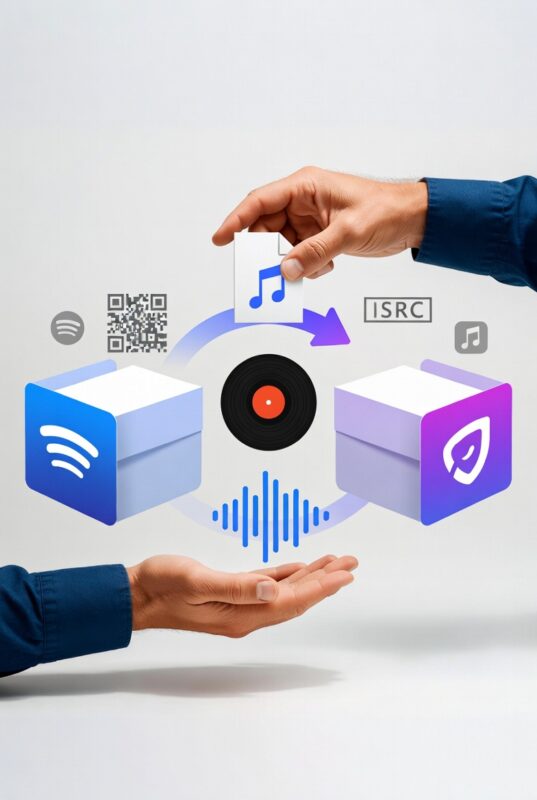
Switching music distributors is one of the most common questions independent artists ask — and one of the most frequently mishandled transitions in an independent music career. Artists switch for legitimate reasons all the time: a distributor’s service has deteriorated, a better pricing model has emerged, a platform has been acquired by a major label and the artist wants out, or support has become non-functional. The reasons to switch are often good. The way artists go about it is often not.
The short answer to “what happens to my music if I switch distributors?” is: it depends entirely on how you do it. Done correctly, your streams stay intact, your playlist placements carry over, your algorithmic history is preserved, and your fans notice nothing. Done incorrectly, you can lose years of accumulated streaming data, playlist positions that took months to earn, and the algorithmic momentum that drives discovery — permanently, with no way to recover them.
This guide explains exactly what is at stake, what the technical mechanics of a distributor switch involve, what gets preserved and what does not, how to execute the transition correctly step by step, and which distributors offer migration tools that make the process easier. It also explains the specific scenarios — leaving DistroKid without Leave a Legacy, cancelling TuneCore, switching away from a platform that has been acquired — that require particular care.
What is actually at stake when you switch distributors
Before covering the mechanics, it is worth being specific about what you stand to lose if a distributor switch goes wrong. The stakes are higher than most artists realise.
Stream counts
Every stream your music has ever accumulated on Spotify, Apple Music, Amazon Music, and other platforms is associated with a specific track identifier — the ISRC code. If your new distributor delivers the same track with a different ISRC, or with metadata that does not match the original delivery closely enough, the streaming platform treats it as a brand new release. Your stream count resets to zero. The 50,000 streams your song has accumulated over two years disappear from the public-facing count. They are not deleted from Spotify’s internal records, but they are no longer associated with your track as the listener sees it.
Playlist placements
Both editorial and algorithmic playlist placements are tied to the specific track entry in a DSP’s catalogue. As Spotify’s community documentation confirms, playlist placements carry over when the new delivery links correctly to the original track — but if the link fails due to a metadata mismatch or ISRC change, playlists do not automatically reconnect once the release comes back. An editorial playlist placement that took months of pitching and relationships to earn can disappear permanently from a single metadata error.
Algorithmic history
Spotify’s recommendation algorithms — Discover Weekly, Release Radar, Daily Mixes, Radio — are trained on listener behaviour associated with specific tracks. Save rates, skip rates, playlist add rates, listening completion rates — all of this data is tied to the track’s identifier. A new ISRC creates a new slate, and the algorithms treat the track as unproven. Artists who have spent years building algorithmic momentum effectively start over if the migration is handled incorrectly.
Listener saves and follows
When a listener saves a song to their library or adds it to a personal playlist, that association is tied to the track identifier. A broken migration can mean that saved songs disappear from listeners’ libraries — requiring fans to manually re-add music they already chose to keep. This is both practically damaging (removing music from regular listening rotations) and psychologically damaging (creating a confusing experience for engaged fans).
Smart link destinations
Pre-save campaign links, smart links, and social media links that point to your streaming pages do not automatically update when a migration creates a new track entry. A broken migration can leave links pointing to a track that no longer exists, generating dead ends in your promotional infrastructure.
The technical mechanics: ISRC and UPC codes explained
Understanding what ISRC and UPC codes are — and why they are the single most important element of any distributor migration — is essential before touching anything in your account.
ISRC codes
The ISRC (International Standard Recording Code) is a unique 12-character identifier assigned to each individual recording. Every track you have ever distributed has an ISRC. This code is what streaming platforms use to identify a specific recording — not the title, not the artist name, not the audio waveform, but the ISRC. When you deliver a track to Spotify through a new distributor, Spotify checks the ISRC against its database. If the ISRC matches an existing entry, Spotify links the new delivery to the existing track record, preserving all associated streaming data. If the ISRC is new or different, Spotify creates a new track entry from scratch.
UPC codes
The UPC (Universal Product Code) is assigned to a release as a whole — the single, EP, or album — rather than to individual tracks within it. As Ari’s Take documents in its definitive guide to switching distributors, you need both the ISRC for every individual track and the UPC for every release to execute a migration correctly. Losing either creates gaps in the data trail that platforms use to link old and new deliveries.
Where to find your codes
Every distributor stores ISRC and UPC codes in your account dashboard. The exact location varies by platform, but it is always accessible:
- DistroKid — log into your account, click the release, and find the ISRC next to each track and the UPC next to the release title
- TuneCore — go to My Music, select the release, and the UPC and ISRC appear in the release details panel
- CD Baby — log in, navigate to My Music, select the release, and find codes in the release details
- Ditto Music — accessible through the MyMDZ distribution dashboard under release details
- Symphonic — available in SymphonicMS under the release catalogue view
- If you cannot find them through the dashboard, contact the distributor’s support team and ask specifically for your ISRC and UPC export. All distributors are required to provide these.
Export and save these codes before you do anything else. They are your most important asset in any migration.
What metadata must match exactly
Metadata mismatches can break the link between old and new deliveries, even if the audio is identical. The following fields must match your original delivery with precision — not approximately, but exactly:
- Track title — capitalisation, spacing, punctuation, and special characters must be identical. “Song Title (feat. Artist)” and “Song Title (Feat. Artist)” are different strings.
- Artist name — exactly as it appeared on the original release, including any featuring credits in the artist field
- Release date — the original release date, not the date of the new delivery
- ISRC code — copied character by character from your existing distributor, not auto-assigned by the new one
- UPC code — copied from your existing release, not a new code generated by the new distributor
- Track duration — the audio file length must match. Even a one-second difference can prevent linking.
- Contributor credits — songwriter, producer, and featured artist credits should match the original submission as closely as possible
Small differences matter more than most artists realise, including things like a slightly different artist name, a missing songwriter credit, or even a wrong release date, which can prevent the new version from linking properly to the original.
A specific warning: most distributors will automatically assign a new ISRC if you do not provide one during upload. When distributing a new song, every distributor will assign you an ISRC number if you don’t provide it. Some charge for this, some don’t. And if you’re not looking for this, you’ll miss this step because distributors assume you don’t have ISRC or UPC numbers and they will automatically assign you fresh ones. This is the single most common and most damaging mistake in distributor migrations.
What gets preserved in a correct migration
When a migration is executed correctly — with matching ISRCs, matching UPCs, and matching metadata — the following carry over intact:
- Spotify stream counts — confirmed by Spotify’s own community documentation
- Apple Music play counts
- Listener saves and library additions
- Spotify algorithmic playlist placements (Discover Weekly, Release Radar, Daily Mixes)
- Editorial playlist placements — provided the linking happens before the old version is taken down
- Spotify for Artists profile data
- Your artist profile URI and public-facing streaming page
- Smart link destinations that point to the artist profile rather than specific track entries
What does not automatically carry over regardless of how correctly the migration is executed:
- Royalties earned before the migration — these are paid by your old distributor for streams occurring while your music was live under their distribution. Your new distributor collects royalties from the point their distribution goes live.
- YouTube Content ID claims — if your old distributor managed Content ID, those claims need to be transferred or released and re-registered through your new distributor
- Pre-save campaign links that point to specific track entries rather than artist profiles
- Third-party playlist placements on independent curator playlists — these depend on the curator maintaining the playlist entry, which is not guaranteed during a transition period
What does not get preserved regardless of how correctly you migrate
Some things are genuinely lost in any distributor migration and cannot be recovered regardless of how carefully the technical steps are followed:
- Royalties from the old distributor’s period — you keep these, but they are paid by the old distributor, not transferred to the new one. Make sure all pending royalties have settled before completing the cancellation of your old account.
- Distribution analytics history within the old platform’s dashboard — your streaming data on Spotify for Artists persists, but your old distributor’s internal analytics interface disappears when you cancel your account.
- Any promotional campaigns or marketing arrangements through the old distributor — if your old distributor was pitching your music to editorial teams or running promotional campaigns on your behalf, those relationships and activities end with the account.
The correct migration sequence: step by step
Plan for the transition to take 2–4 weeks from first upload to the new distributor through full removal from the old one. Do not rush it.
Step 1: Export your complete catalogue data
Before touching anything in your existing distributor account, create a complete record of every release:
- Every ISRC code for every track
- Every UPC code for every release
- All metadata: track titles, artist names, featured artists, release dates, songwriter credits, producer credits
- Original WAV or FLAC audio files for every track
- High-resolution artwork files for every release
- Any lyrics, ISNI codes, or additional metadata associated with your releases
Store these in a folder structure you control — not only in your distributor’s dashboard, because your access to that dashboard ends when you leave.
Step 2: Choose your new distributor and set up your account
Before uploading anything, complete your new distributor account setup fully: payment information, tax details (including W-8BEN for non-US artists using US-based distributors), artist profile connections, and any verification requirements. Some distributors — including Symphonic — require biometric verification that takes time to process. Do not let account setup delays compress your migration timeline.
Step 3: Upload your catalogue to the new distributor with existing codes
Upload each release to the new distributor, providing your existing ISRC codes for every track and your existing UPC codes for every release. Do not allow the new distributor to auto-assign new codes. If the upload interface does not have an obvious ISRC field, contact the new distributor’s support team before uploading and confirm exactly how to provide existing codes.
Triple check that you have not accidentally assigned song A’s ISRC to song B with your new distributor. It’s also super important that you don’t miss this step.
Set the release date to the original release date, not today’s date. This tells the platform this is an existing release, not a new one.
Step 4: Wait for the new distribution to go live and verify it
Do not touch your old distributor account until your new distribution is fully live and verified on every platform. Check Spotify, Apple Music, Amazon Music, and any other platforms your music is live on. Confirm the track appears, the stream count is displaying correctly (it may take 24–72 hours to fully link), and the artist profile is intact.
The main rule is simple: don’t take anything down until the new version is fully delivered and properly mapped. If the old release disappears too early, DSPs may treat the new delivery as a separate upload instead of a continuation of the existing release, which can interrupt your streaming history.
During this period, both versions of your release will technically be live simultaneously — one through your old distributor and one through your new. Listeners will generally see a “1 More Release” indicator on Spotify rather than two separate entries. This is normal and expected. You will have a duplicate release up for a couple days — that’s okay.
Step 5: Request takedowns from your old distributor
Only after confirming the new distribution is fully live and linked should you request takedowns from your old distributor. Submit takedown requests for every release you have migrated. Most distributors process takedown requests within 5–10 business days, though it can take longer on some platforms.
Leave a 48–72 hour overlap so platforms can merge the data behind the scenes. That overlap window is where the platforms detect duplicates and begin consolidating streams, saves, and playlist placements.
Step 6: Confirm takedowns and close your old account
After takedowns are confirmed on all platforms, ensure all pending royalties from your old distributor have settled before closing the account. Royalties from the final weeks of distribution under your old account may take 60–90 days to fully settle. Check your old distributor’s payment schedule and do not close the account until you have received everything owed.
Step 7: Update smart links and promotional materials
Update any smart links, bio links, website links, or social media links that pointed to specific track entries rather than your artist profile. Re-verify your Spotify for Artists and Apple Music for Artists accounts under the new distribution relationship if prompted.
Distributor migration tools: which platforms make this easier
Several distributors have built specific migration tools that handle some or all of the ISRC and metadata matching process:
Symphonic TransferTrack
Symphonic’s TransferTrack tool pulls release data directly from your Spotify artist profile or UPC — meaning you do not need to manually extract and re-enter ISRC codes, metadata, and release dates. With TransferTrack, you can preserve your original ISRCs, UPCs, release dates, and metadata to make sure your streams stay intact. Even better, the tool pulls this info directly from your Spotify artist profile or UPC, so you don’t have to dig through old files or guess at what info to carry over. This significantly reduces the risk of metadata errors during migration.
Ditto Music migration support
Ditto Music offers hands-on migration support for artists switching platforms. Ditto offers hands-on help for artists switching platforms, making the process much smoother. Their support team can assist with ISRC matching and metadata verification during the transition.
ONErpm OFFstep migration
ONErpm’s OFFstep subsidiary accepts existing ISRC and UPC codes as standard, making it a technically straightforward migration destination for artists moving from other platforms.
Manual migration on other platforms
Most other distributors — including DistroKid, TuneCore, Horus Music, and RouteNote — accept existing ISRC and UPC codes but require you to enter them manually during upload. The process works correctly when followed carefully — it simply requires more attention to detail and more manual verification than migration-specific tools provide.
Specific scenarios that require particular care
Leaving DistroKid without Leave a Legacy
DistroKid’s default behaviour is to remove all distributed music from streaming platforms when a subscription lapses or is cancelled — unless each release has Leave a Legacy protection purchased at $29 per single or $49 per album. If you are planning to switch from DistroKid, you must upload to your new distributor and confirm live distribution before cancelling your DistroKid subscription. If your subscription expires before your new distribution is live, your music will be removed from all platforms and the migration window will close. ALERA’s migration guide specifically flags this as one of the highest-risk switching scenarios in the market.
Switching away from LANDR after cancellation
LANDR’s post-cancellation policy imposes a 15% commission on all streaming royalties once a subscription becomes inactive — permanently, for as long as the music remains live on platforms. If you cancel LANDR and leave your music live while migrating to a new distributor, LANDR collects 15% of all streaming income during the entire migration period. The correct approach is to have your new distribution live and confirmed before requesting LANDR takedowns — but to minimise the overlap period to reduce the duration of the 15% commission exposure.
Switching away from CD Baby
CD Baby’s per-release model means music stays live without annual renewal fees — but the 9% commission continues indefinitely. Switching away from CD Baby requires takedown requests per release, and CD Baby’s support response times of two to three months for complex queries can slow the migration process. Begin the takedown process only after confirming new distribution is live, and budget significant time for the full takedown to process.
Switching away from a platform that has been acquired
Artists switching away from CD Baby after the UMG acquisition or from AWAL are navigating a different kind of motivation than pure service dissatisfaction — they are moving for structural independence reasons rather than operational ones. The technical migration process is identical regardless of why you are switching, but it is worth being methodical: acquisitions can introduce operational disruptions that affect support response times and takedown processing during the transition period.
Switching a catalogue with accumulated royalties
If you are switching distributors while significant royalties are pending from your old distributor, do not close your old account until you have received all pending payments. Streaming platforms report royalties approximately 60–90 days after the streams occur, meaning royalties from your final month of distribution under the old service may not appear in your dashboard for three months after the takedown. Keep your old account accessible — or at minimum, keep a record of your login credentials — until the final payment cycle has completed.
What happens to YouTube Content ID when you switch
YouTube Content ID is managed separately from standard distribution and requires specific handling during a migration.
When you switch distributors, your existing Content ID claims — the claims on YouTube videos that contain your music — are managed by your old distributor until the Content ID relationship transfers. The process varies:
- Some distributors release Content ID claims as part of the takedown process, allowing your new distributor to register fresh claims
- Others maintain claims until the new distributor’s Content ID registration is active, creating a brief gap in monetisation coverage
- If claims are released before your new distributor registers them, there is a window during which anyone can upload your music to YouTube without monetisation claims being generated
Contact both your old and new distributors specifically about Content ID transfer before initiating any migration. This is particularly important for artists in genres where YouTube usage is a significant income source — lo-fi, ambient, study music, background instrumental.
Common mistakes that cause migrations to go wrong
- Allowing the new distributor to auto-assign ISRCs — the single most common and damaging mistake. Always provide existing ISRCs manually.
- Taking down the old release before the new one is live — even a brief gap in availability can cause playlists to drop and algorithms to reset
- Metadata that is almost but not exactly right — a different capitalisation in the track title, a featuring credit formatted differently, a release date entered as the migration date rather than the original release date
- Migrating during an active release cycle — never migrate a release that is currently in its promotional window. Wait until the release campaign is complete and streaming has settled into its organic baseline.
- Forgetting to account for different processing timelines across platforms — Spotify may link within 24–72 hours, but other platforms can take longer. Verify all platforms before requesting takedowns, not just Spotify.
- Closing the old account before pending royalties have settled — royalties from the final months of distribution may take 90 days or more to fully process and pay out
- Not updating smart links and bio links after migration — links that pointed to specific track entries rather than artist profiles may break when the old entry is taken down
How long does a migration take?
Plan for the transition to take 2–4 weeks from first upload to the new distributor through full removal from the old one. The full timeline in practice:
- Exporting catalogue data and preparing files: 1–3 days
- Setting up new distributor account: 1–7 days (longer for platforms requiring biometric verification or application review)
- Uploading to new distributor and processing: 2–14 days depending on the distributor’s moderation timeline
- Verification across all platforms: 2–5 days after delivery confirms
- Overlap period for platform linking: 48–72 hours minimum
- Old distributor takedown processing: 5–10 business days typically, longer on some platforms
- Final royalty settlement from old distributor: up to 90 days after last streaming activity
The minimum realistic timeline for a clean migration is approximately two weeks. A fully settled migration — including final royalty collection from the old distributor — takes three to five months from the point you begin uploading to your new distributor.
Should you migrate your entire catalogue at once or release by release?
For most artists, migrating the entire catalogue at once is more efficient and reduces the period during which music is split across two distributors. Managing two distributor dashboards simultaneously — tracking royalties from two sources, monitoring takedown requests, verifying delivery across platforms — is administratively complex when it extends beyond a few weeks.
The exception is artists with very large catalogues — 50+ releases — where the manual verification required for each release makes a phased migration more manageable. In this case, migrating in batches by era or project rather than randomly makes the most sense, as it keeps related releases together and simplifies the dual-dashboard period.
Regardless of approach, do not migrate releases that are currently in an active promotional window. A release in its first four to eight weeks — still being actively pitched to playlists, still generating fresh algorithmic recommendations — should be left in its current distribution until that promotional cycle completes.
In summary: the five rules of switching distributors
- Rule 1: Never let your new distributor auto-assign ISRCs. Always provide your existing codes manually, for every track, every time.
- Rule 2: Never take down the old distribution before the new one is confirmed live. Always verify across all platforms before touching the old account.
- Rule 3: Match metadata exactly. Not approximately. Not close enough. Exactly — capitalisation, punctuation, featuring credits, release date, track duration.
- Rule 4: Never migrate during an active release campaign. Wait until the promotional window is complete and streaming has settled.
- Rule 5: Never close your old account before pending royalties have settled. Keep access until the final payment cycle has cleared, even if that takes three months.
A distributor switch done correctly is invisible to your audience and costs you nothing. A distributor switch done incorrectly can cost you years of streaming history, playlist placements that cannot be recovered, and algorithmic momentum that takes months to rebuild. The five rules above are the difference between the two outcomes.
For reviews of every major distributor currently available to independent artists, visit the complete music distributor guide at TheBestMusicDistributors.com. To compare distributors side by side before making your switch, use the full distributor comparison tool.
